Tone, languages, greeting, away and closing messages
1 min readManagers and owners
Summary
Choose how the assistant sounds, which languages it replies in, and the fixed messages it sends.
Tone and languages
- 1
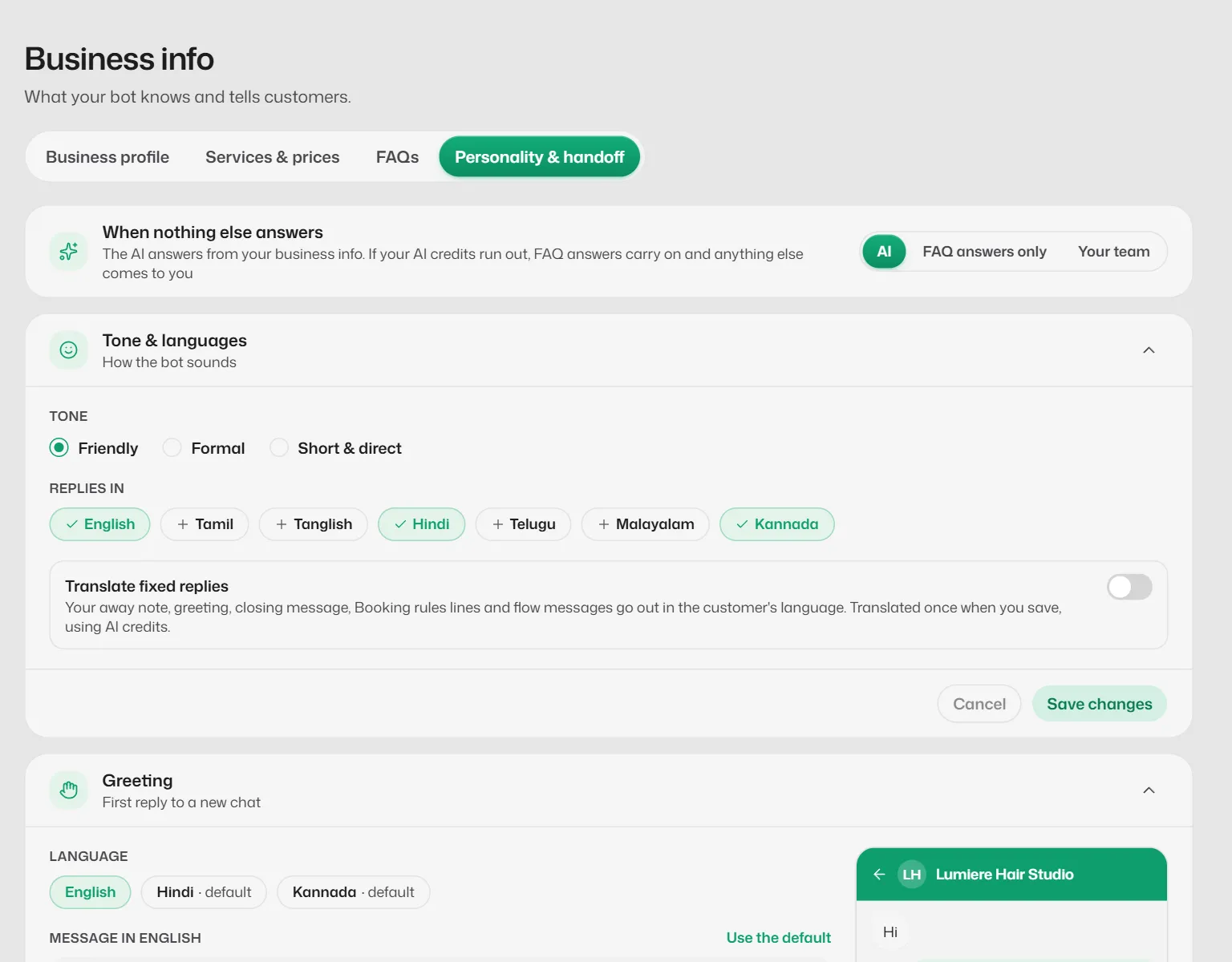
Open Business info → Personality & handoff.
- 2
Under Tone & languages, pick Friendly, Formal or Short & direct.
- 3
Under Replies in, tick the languages: English, Tamil, Tanglish, Hindi, Telugu, Malayalam and Kannada.
Tanglish needs the Growth or Pro plan. Hindi written in English letters is answered in Hindi.
- 4
Select Save changes.
Fixed messages
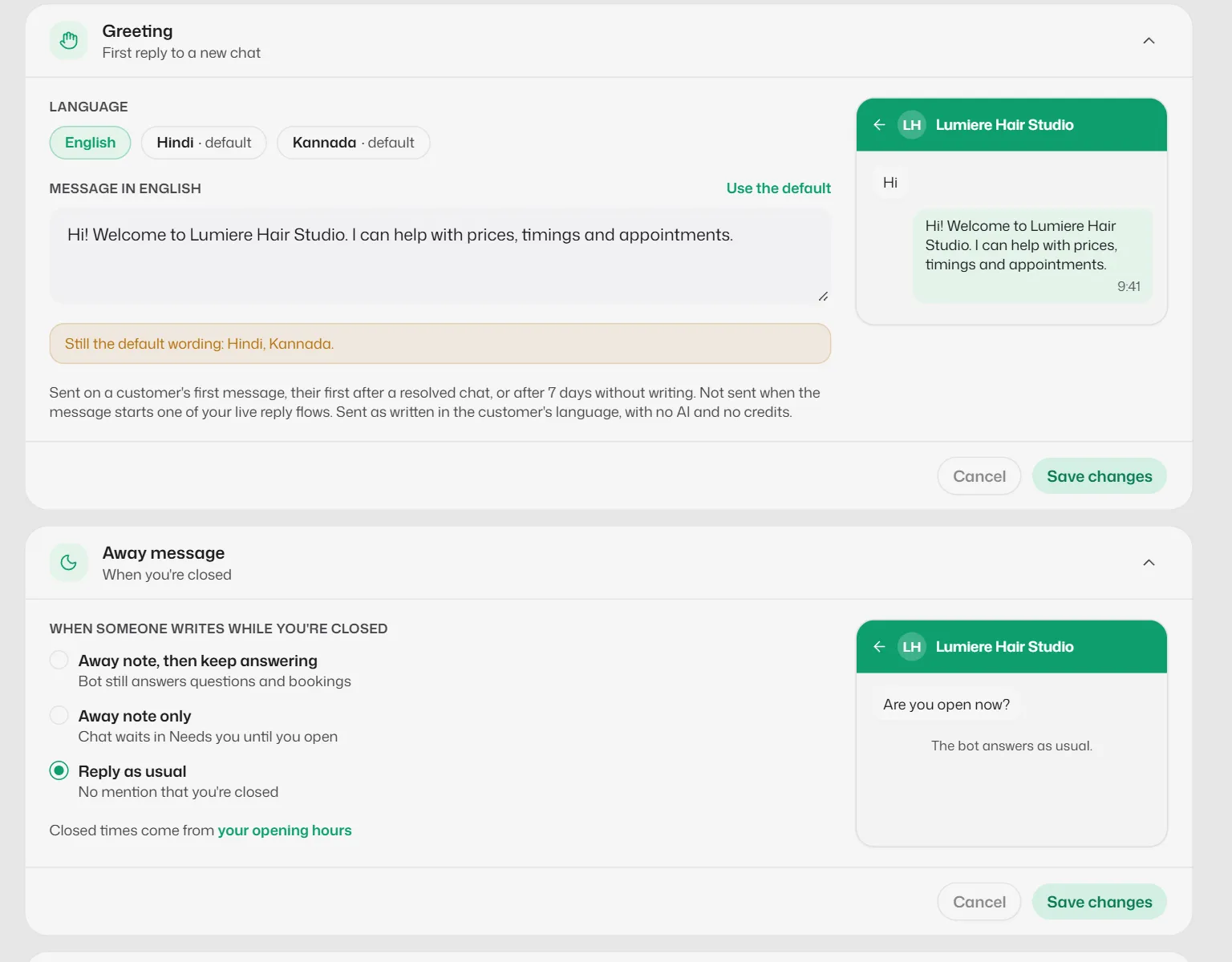
Each has its own card on the same tab, with its own Save changes.
- Greeting: sent the first time someone writes, after a chat was resolved, or after 7 quiet days.
- Away message: outside your hours. Choose Away note, then keep answering, Away note only or Reply as usual.
- Closing message: sent after a booking or when you mark a chat resolved.
- Translate fixed replies: sends these messages in the customer's language.
What you should see
- You see Bot updated. New replies use the new settings.
Related articles
Still need help?
Search the FAQs or contact our team by email or phone.