How AI credits work
2 min readManagers and owners
Summary
What uses AI credits, what is always free, where to see your balance and what happens when credits run out.
Your monthly credits
- Every plan includes credits each month: Starter 1,500, Growth 5,000 and Pro 12,000.
- Plan credits are used first, then top-up credits, which never expire.
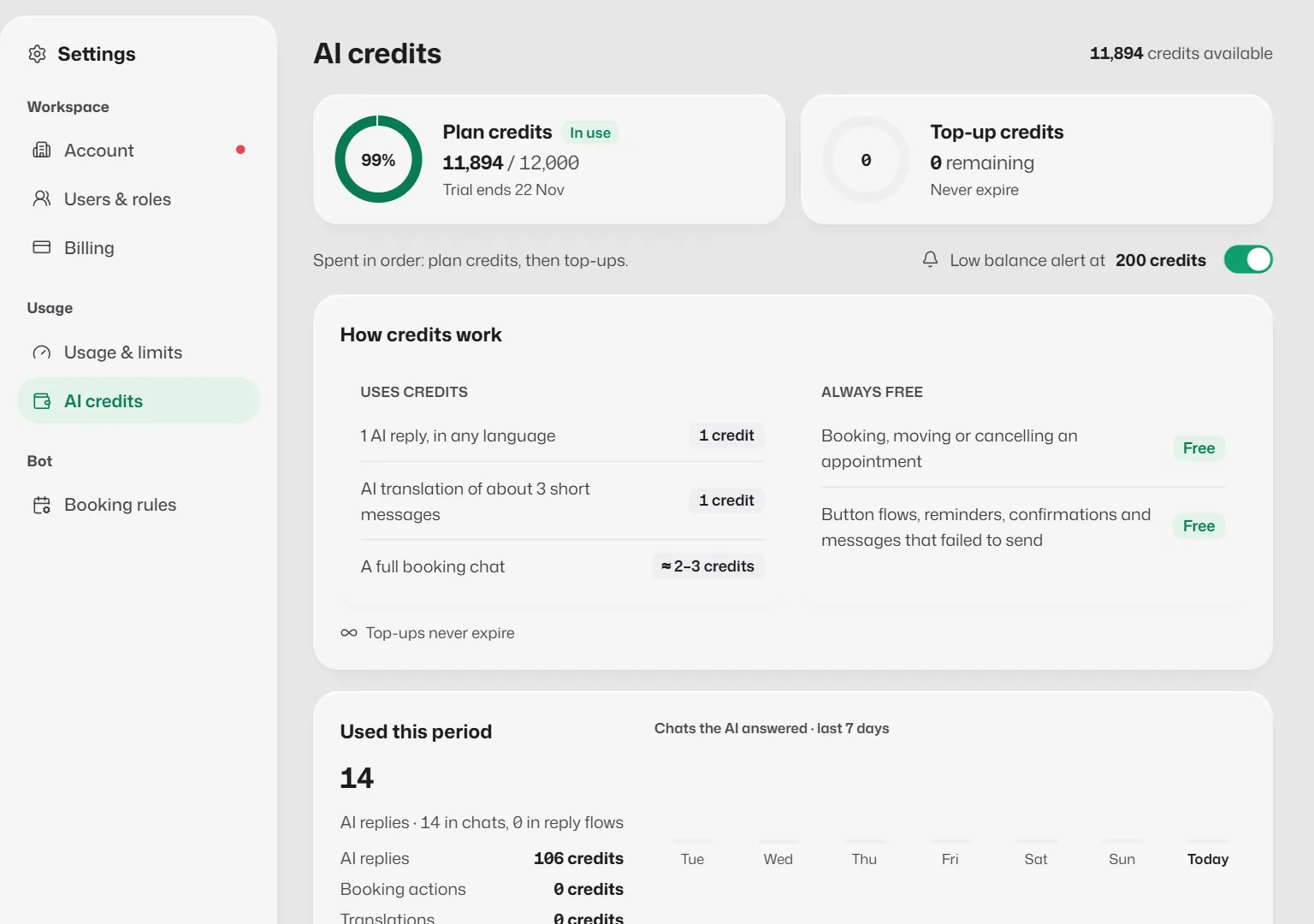
- See the balance in the AI CREDITS ring on Home, or in Settings → AI credits. Both count plan and top-up credits, so they show the same number.
- Credits spent in Analytics is what was used in the period you chose, not what is left.
What uses credits
- Each AI reply, in any language.
- AI translation in the inbox, about 1 credit for every 3 messages.
Always free
- Booking, moving or cancelling an appointment.
- Button flows, reminders and confirmations.
- Messages that failed to send.
The How credits work section in Settings shows the current rates.
When credits run out
- AI replies pause. FAQ answers and reply flows keep working, and anything else goes to your team.
- Credits come back when your allowance resets, or straight away when you buy a top-up.
- Turn on Low balance alert in Settings → AI credits to be warned before that.
See where credits went
Transactions in Settings → AI credits lists Credits used and Credits added, by category and month, with an Export button.
Related articles
Still need help?
Search the FAQs or contact our team by email or phone.