Check your plan's limits
1 min readManagers and owners
Summary
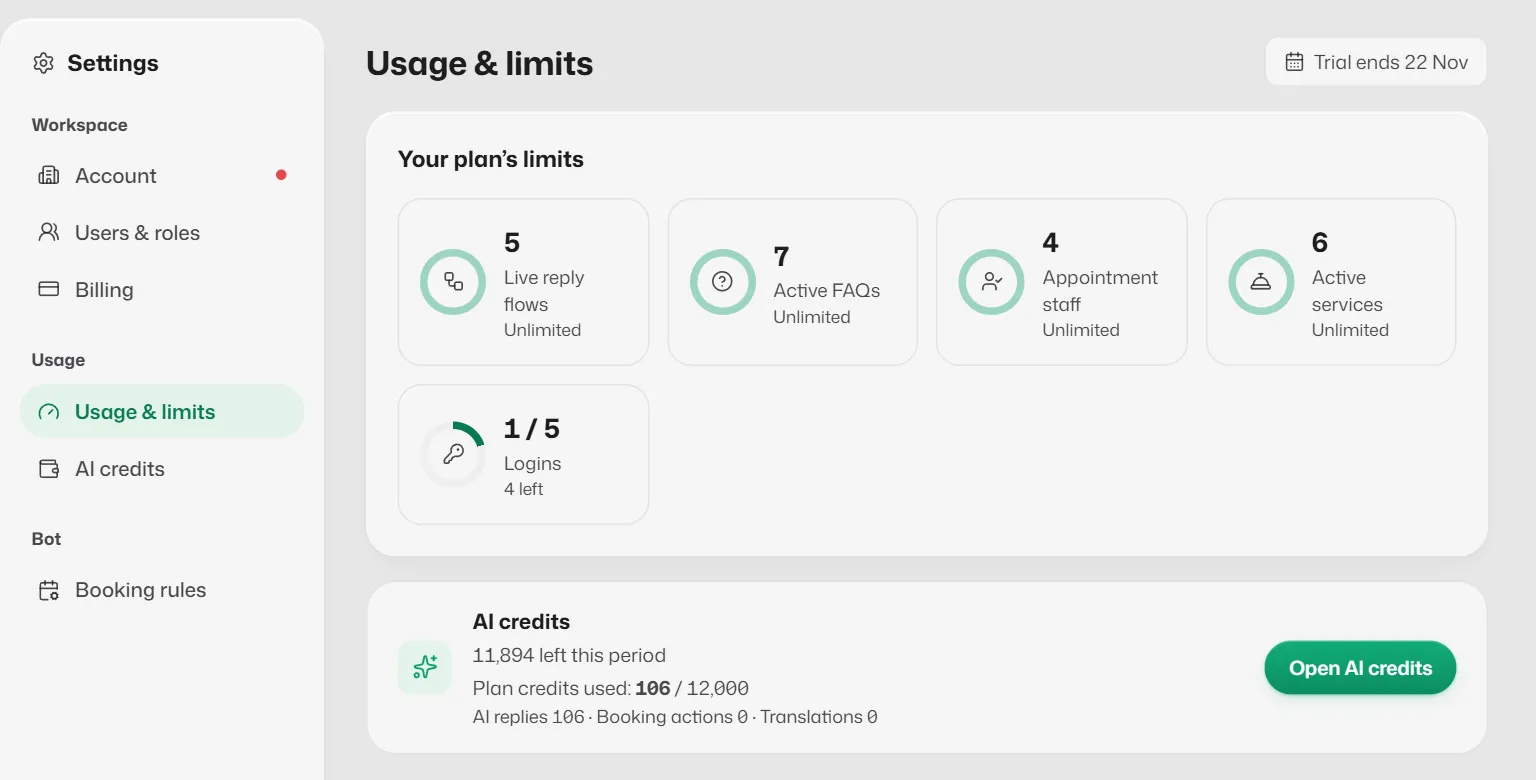
See how many live flows, FAQs, staff, services and logins you use against what your plan allows.
Open Usage & limits
- 1
Open Settings → Usage & limits.
- 2
Read Your plan's limits: Live reply flows, Active FAQs, Appointment staff, Active services and Logins, each as used / allowed.
The chip at the top says when your allowance resets, or when your trial ends.
Plan limits at a glance
- Starter: 1 login, 5 staff, 5 services, 3 live flows, 10 FAQs.
- Growth: 3 logins, 15 staff, 10 services, 10 live flows, unlimited FAQs.
- Pro: 5 logins, unlimited staff, services, flows and FAQs.
When you reach a limit
- Everything you already have keeps working, even after moving to a smaller plan.
- You cannot add or switch on another one until you switch one off or upgrade.
Related articles
Still need help?
Search the FAQs or contact our team by email or phone.