Add FAQs
1 min readManagers and ownersStarter: 10 active FAQs. Growth and Pro: unlimited.
Summary
Write answers to the questions customers ask most, such as parking, payment methods or your cancellation policy.
Add an FAQ
- 1
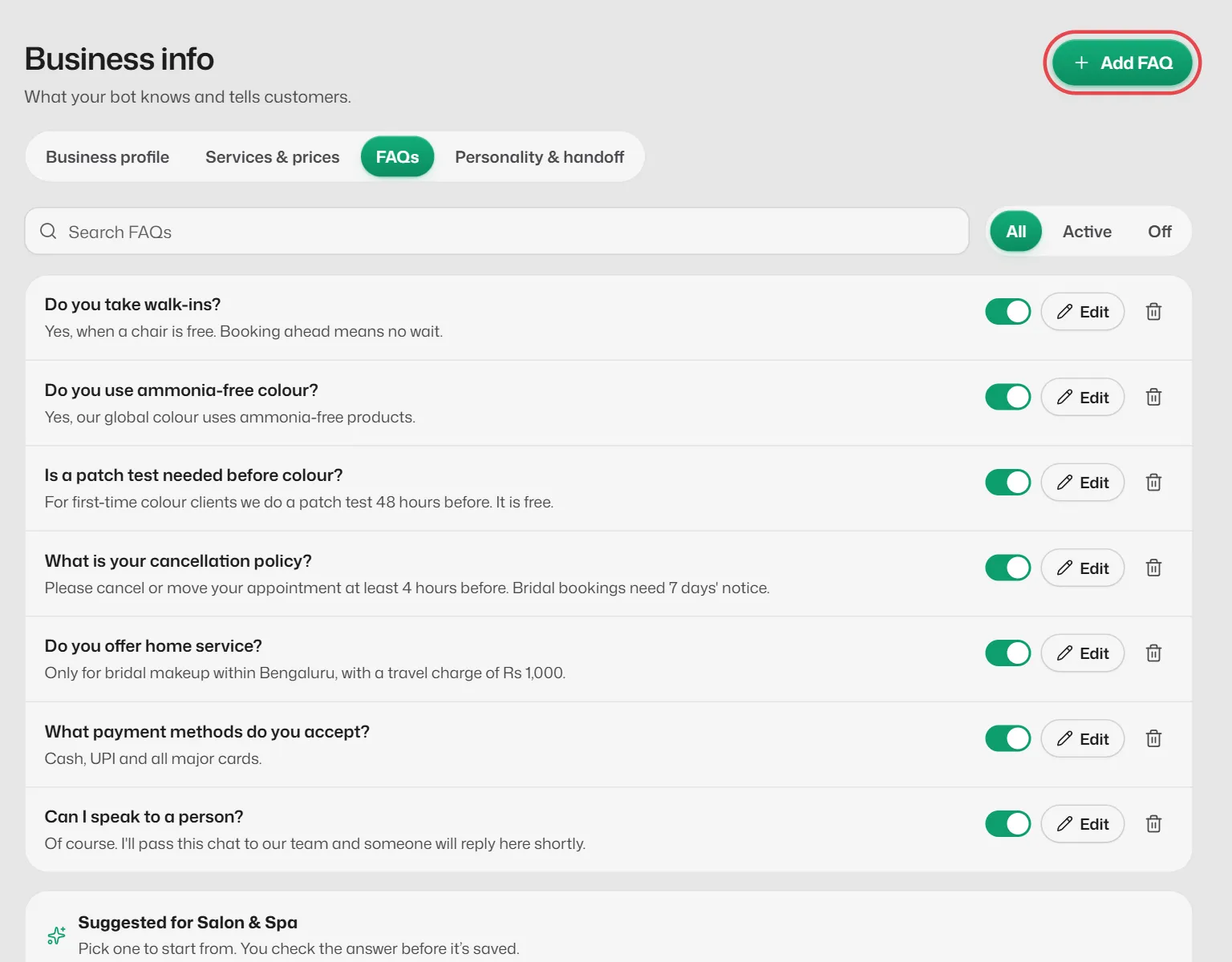
Open Business info → FAQs.
- 2
Select Add FAQ.
- 3
Type the Question the way a customer would ask it, and the Answer your assistant should give.
- 4
Save it. Leave its switch on so the assistant uses it.
Good to know
- Put your cancellation, refund and late-arrival policies here. The assistant only states policies you have written down.
- With FAQ answers only chosen under When nothing else answers, FAQs are sent word for word. See How automatic replies work.
- Once you have 6 or more FAQs, a search box and filters appear.
If something goes wrong
- "You already have an answer to that question."
- Edit the existing FAQ instead of adding a second one.
- My new FAQ was saved switched off.
- All the active FAQs your plan allows are in use. Switch another off, or upgrade.
Related articles
Still need help?
Search the FAQs or contact our team by email or phone.