Fill in your business profile
Summary
Your business name, contact details, address and description: what the assistant tells customers about you.
Edit your profile
- 1
In the sidebar, select Business info. The Business profile tab opens.
- 2
Fill in Business name, Business industry, Phone number, Email for business contact and Business address.
- 3
Add a short About (up to 139 characters), your websites, and a Business description (up to 256 characters).
Write the description the way you would explain your business to a new customer. The assistant uses it in its answers.
- 4
Select Save.
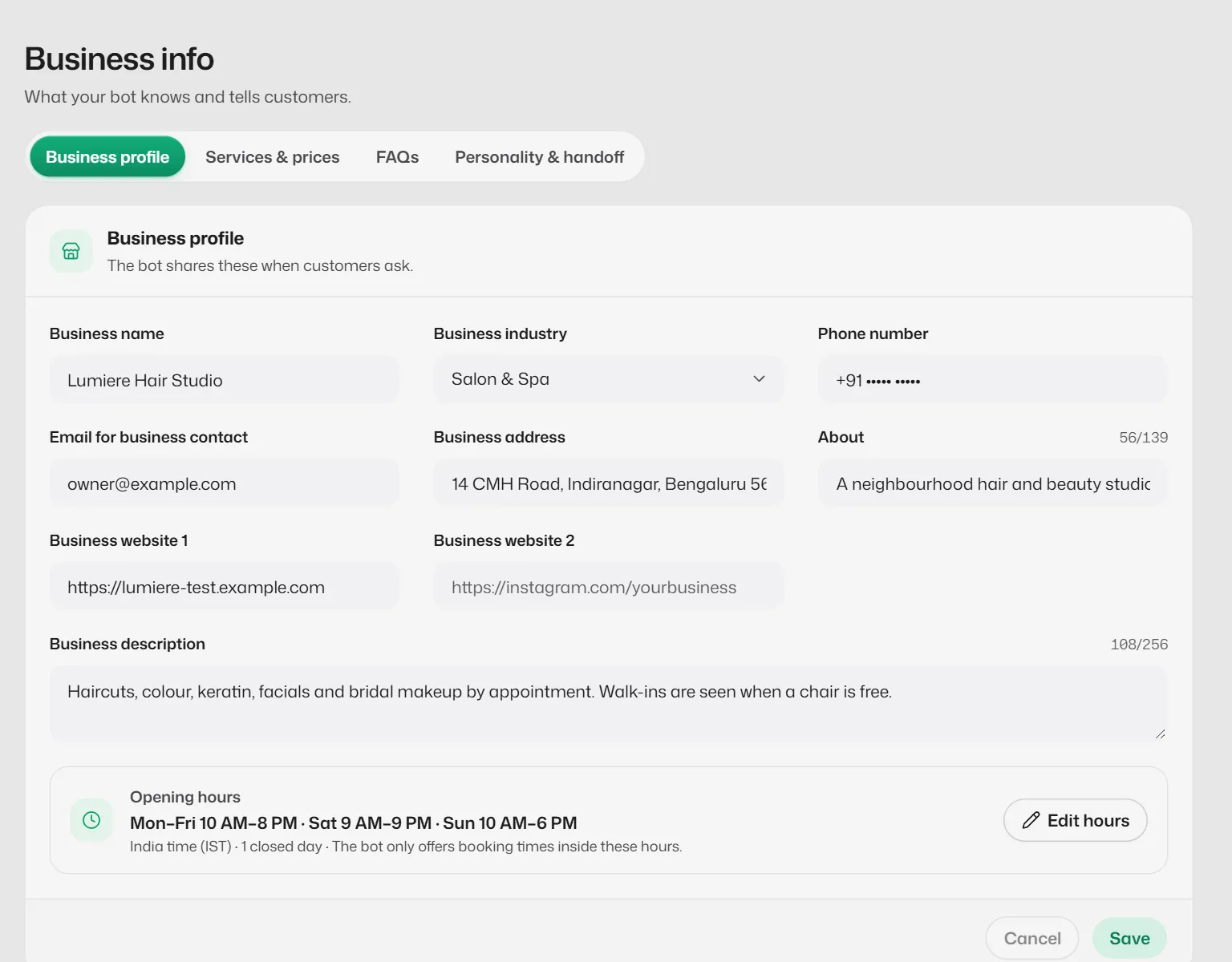
Business info has four tabs
- Business profile: these details plus your opening hours and holidays.
- Services & prices: see Add and edit services.
- FAQs: see Add FAQs.
- Personality & handoff: tone, languages, fixed messages and alerts. See Tone, languages and fixed messages.
Each tab saves on its own. If you try to leave with unsaved changes, you are asked first.
What you should see
- You see Business profile saved. The assistant uses the new details from its next reply.
If something goes wrong
- "Enter a phone number, like +91 and 10 digits."
- Type the number with its country code: +91 followed by the 10-digit number.
- "Enter a web address like yourbusiness.com."
- Type only the address, without spaces.
- I chose Shop & Retail and booking in the chat switched off.
- Shops take enquiries rather than appointments, so chat booking is switched off for them. Switch it back on in Settings → Booking rules → Customers on WhatsApp if you need it.
Related articles
Set your opening hours, breaks and holidays
The assistant only offers booking times inside your hours, skips your breaks and never books on a holiday.
Add and edit services
List what you offer with a price and duration, so the assistant can quote prices and book the right length of time.
Add FAQs
Write answers to the questions customers ask most, such as parking, payment methods or your cancellation policy.
Still need help?
Search the FAQs or contact our team by email or phone.