Choose a plan
2 min readAccount owner
Summary
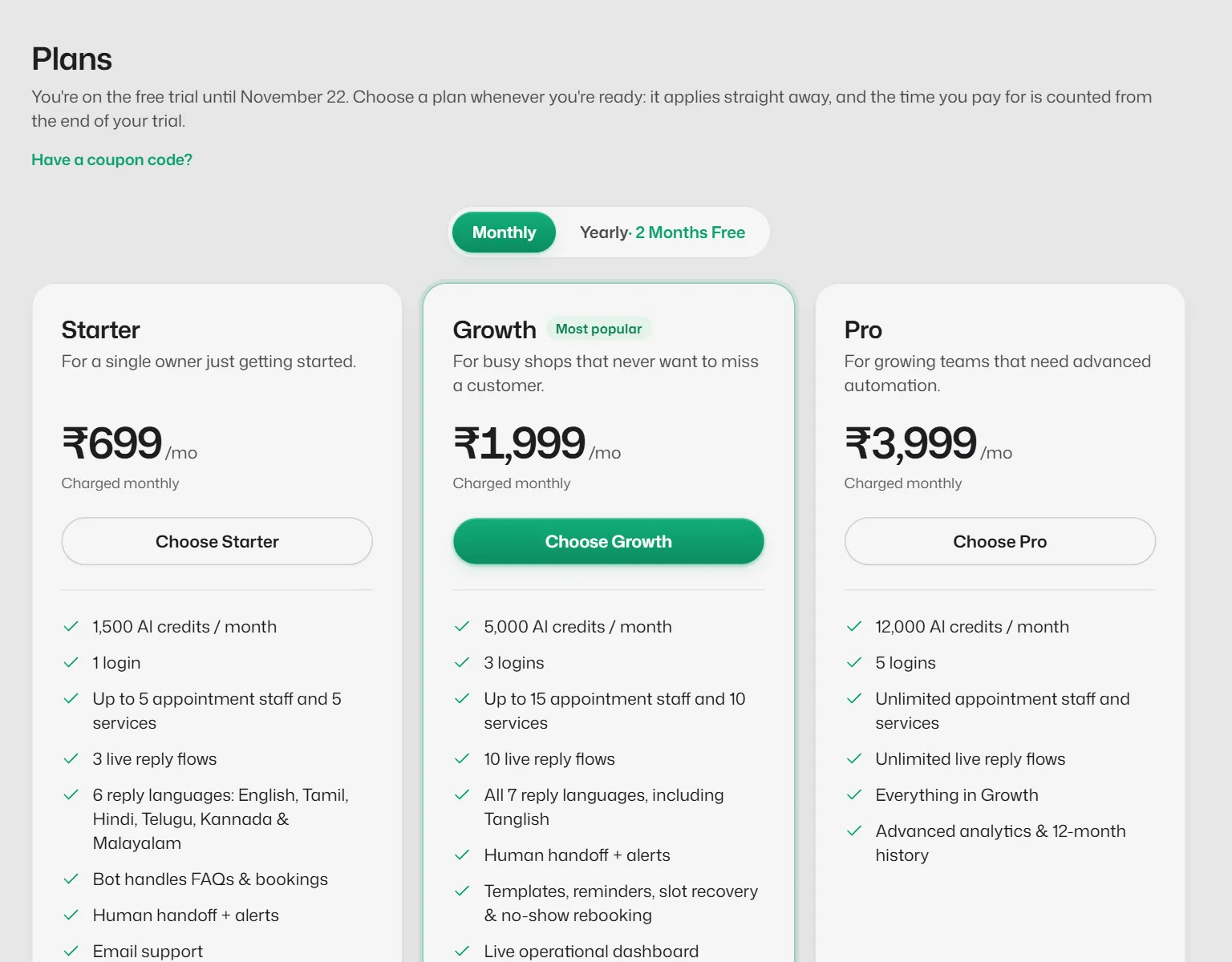
Compare Starter, Growth and Pro and pay for a monthly or yearly term.
The plans
- Starter: ₹699 a month or ₹6,990 a year.
- Growth: ₹1,999 a month or ₹19,990 a year. Adds Tanglish, templates, reminders, the waitlist, no-show rebooking, the live Home dashboard, team analytics and inbox translation.
- Pro: ₹3,999 a month or ₹39,990 a year. Adds advanced analytics and 12-month history.
Limits for each plan are in Check your plan's limits. WhatsApp message charges are billed to you by Meta and are not included in any plan.
Pay for a plan
- 1
Open Plans from the account menu, or Settings → Billing → Choose a plan.
- 2
Choose Monthly or Yearly.
- 3
Select Choose on the plan you want, then pay in the Razorpay window.
Terms are prepaid and are not debited automatically. You renew yourself before the term ends.
What you should see
- Your plan shows in Settings → Billing, with the date it runs until.
If something goes wrong
- "Could not load Razorpay Checkout."
- Turn off ad blockers for this site, check your connection and try again.
- "Payment was received but activation is still pending."
- Refresh after a minute. If the plan still does not show, contact support with the payment time.
Related articles
Still need help?
Search the FAQs or contact our team by email or phone.