What message templates are
2 min readManagers and owners
Summary
Messages approved by WhatsApp in advance, needed for anything you send more than 24 hours after a customer's last message.
Why templates exist
- WhatsApp only delivers normal messages within 24 hours of a customer's last message. Outside that window, only approved templates arrive.
- Reminders, booking notices, team alerts and waitlist offers use templates so they always arrive.
- Meta charges for each template message it delivers. The amount depends on the category.
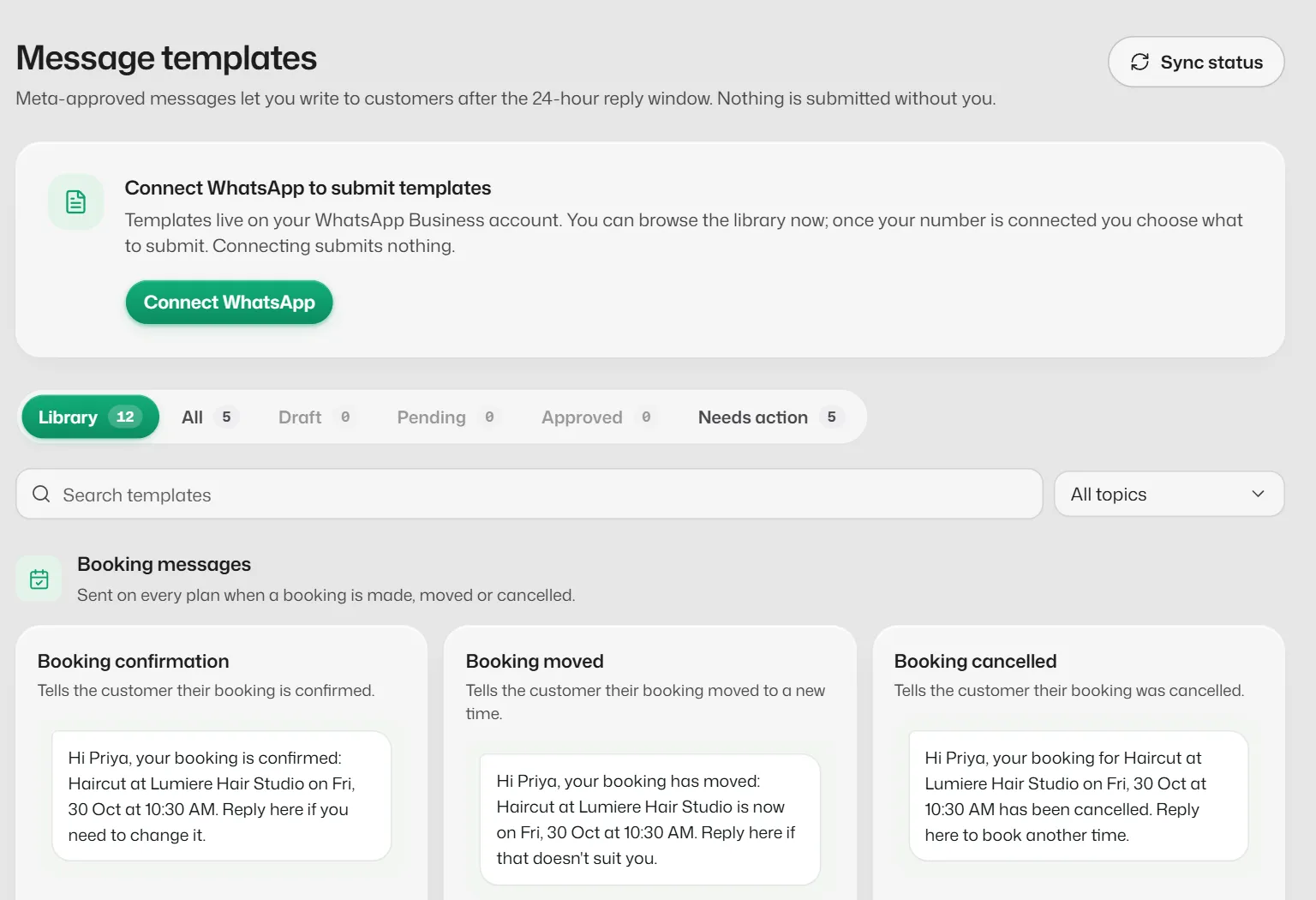
The Message templates screen
- Library: templates Slot Reply needs, ready to submit.
- All, Draft, Pending, Approved and Needs action list your own templates by status.
- Sync status asks Meta for the latest review results.
What each status means
- Approved: ready to send.
- In review: Meta is checking it. Select Sync status to see the latest result.
- Rejected: Meta said no. The reason is shown; fix it and resubmit.
- Paused or Disabled: Meta stopped it, often after customers blocked or reported it.
If something goes wrong
- "Connect WhatsApp to submit templates."
- Templates belong to your WhatsApp number, so the owner has to connect it first.
- "Meta's review status couldn't be read."
- Select Sync status again in a few minutes.
Related articles
Submit the booking templates
Get the confirmation, reminder, moved, cancelled and team alert templates approved so those messages always arrive.
Create your own template
Write a template such as a payment reminder or a "closed today" notice and submit it to Meta.
Send a template from a chat
Reach a customer after the 24-hour window has closed with an approved WhatsApp template.
Still need help?
Search the FAQs or contact our team by email or phone.