WhatsApp connection status and warnings
Summary
What Working, Some messages failing, Not sending and Not connected mean, what Home's status card shows, and what to do when a warning appears.
What the status means
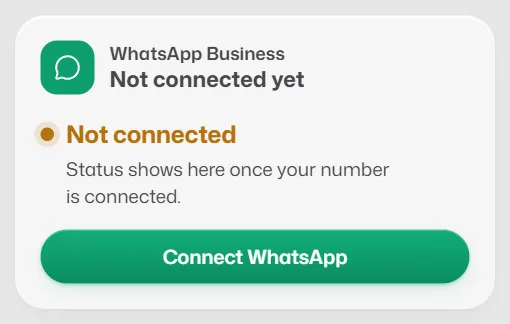
The WhatsApp Business card on Home shows one of these.
- Working: your number is linked and messages are reaching customers.
- Some messages failing: most messages arrive, but at least 1 in 5 sent in the last 24 hours failed, or Meta is still reviewing your display name.
- Not sending: Meta is refusing or limiting messages from your number.
- Not connected: no number is linked yet. Only the account owner can link one.
The status card on Home
- The status in large type, with one line on what it means.
- Display name: Approved, Waiting for approval or Not approved (managers and owners). Meta usually takes 1–3 days to review it.
- Message quality: High, Medium or Low, from how customers react to your messages.
- Daily limit: how many new customers you can message in 24 hours.
- Failed, last 24h: how many of the messages sent in the last 24 hours did not arrive.
When messages are not reaching customers, Home shows a red or amber alert with the reasons. The owner selects Fix this; managers can select Check again when Meta is refusing the number.
Warning bars and what to do
A warning bar shows on every dashboard screen except Home while your number has a problem, so nobody believes customers are being answered when they are not. On Home the alert above the WhatsApp card says the same.
- WhatsApp display name awaiting approval. Meta is still reviewing your business name. Replies and reminders wait until it is approved. Select Check again later.
- WhatsApp is refusing messages from your number. Bot replies and reminders are paused. Check the number in Meta's WhatsApp Manager, then select Check again.
- WhatsApp needs reconnecting. The permission Slot Reply had was removed in Meta. The owner selects Reconnect WhatsApp.
- WhatsApp has restricted your number. Check WhatsApp Manager for the reason, fix it, then reconnect.
- Message quality has dropped. Customers have been blocking or reporting your messages. Send fewer promotional messages and make sure people expect to hear from you.
If something goes wrong
- The bar is still there after I fixed the problem in Meta.
- Select Check again in the bar (managers and owners). Meta can take a few minutes to update.
Related articles
Connect your WhatsApp number
Link your WhatsApp Business number to Slot Reply through Meta, so the assistant can answer on it.
The bot is not replying to customers
Work through these checks, in order, when customers get no automatic answer.
A message was not delivered
What "Couldn't send" means and how to send the message again.
Still need help?
Search the FAQs or contact our team by email or phone.