The bot is not replying to customers
Summary
Work through these checks, in order, when customers get no automatic answer.
Check these in order
- 1
Is your plan or trial active? If the dashboard says your trial or subscription has ended, replies are stopped. See Your free trial.
- 2
Is WhatsApp connected? The WhatsApp Business card on Home should say Working. Not connected or Not sending stops replies. See Connection status.
- 3
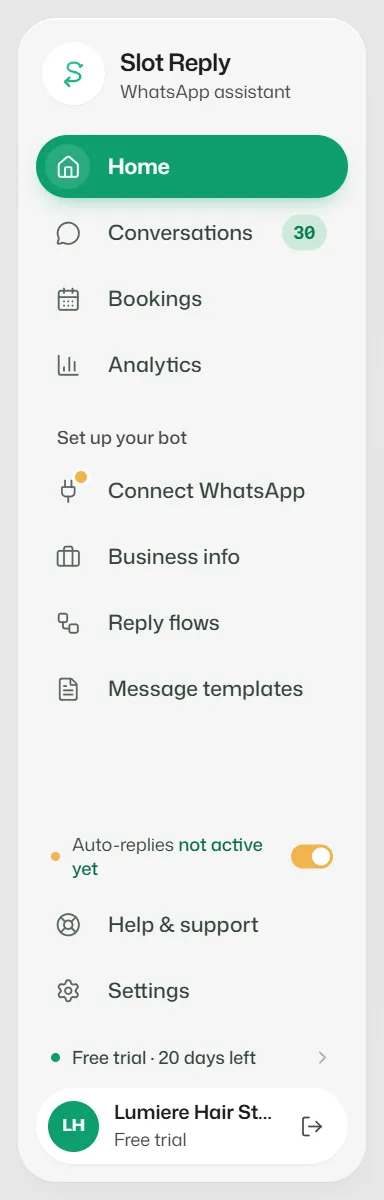
Are auto-replies on? The sidebar should say Auto-replies on. See Turn auto-replies on or off.
- 4
Has someone taken over the chat? The chat header says Team is replying. Select Give back to bot. See Take over and give back.
- 5
Is the chat waiting for a person? Under Needs you, the bot has handed it over on purpose and says why.
- 6
Did the customer reply STOP, or did you block them? Look for Opted out or Blocked on the chat.
- 7
Are your AI credits used up? AI replies pause until you top up or your allowance resets. See How AI credits work.
- 8
Is the fallback set to your team? In Business info → Personality & handoff, check When nothing else answers.
If something goes wrong
- A message is marked Arrived late · not answered by the bot.
- WhatsApp delivered it to us more than 2 hours late, so the bot left it for your team rather than answering an old message. Reply yourself.
Related articles
WhatsApp connection status and warnings
What Working, Some messages failing, Not sending and Not connected mean, what Home's status card shows, and what to do when a warning appears.
Turn auto-replies on or off
Pause the assistant for the whole business, for example during a team meeting, and switch it back on.
How automatic replies work
What the assistant answers, in which order it tries things, and when it passes a chat to your team.
Still need help?
Search the FAQs or contact our team by email or phone.