Find your way around the dashboard
2 min read
Summary
What each part of the sidebar and the Home screen is for, on a computer and on a phone.
The sidebar
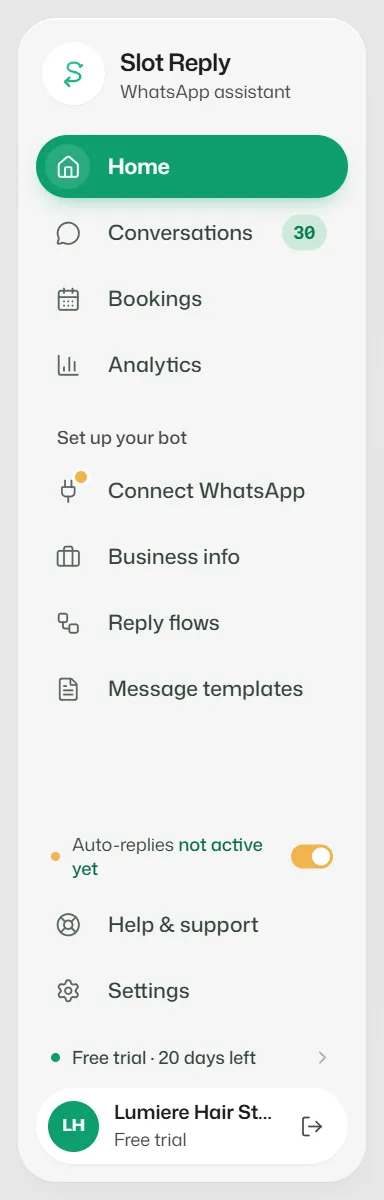
The screens you use every day are at the top, and the setup screens below them.
- Home: today's bookings, chats waiting for a reply and what the bot handled.
- Conversations: the shared inbox for every WhatsApp chat.
- Bookings: your diary, and your staff under the Staff tab.
- Analytics: your numbers over 7 days to 12 months (managers and owners).
- Connect WhatsApp: your number's connection (owner only).
- Business info: what the bot knows and how it talks (managers and owners).
- Reply flows and Message templates (managers and owners).
- Settings: your account, team, billing, usage, AI credits and booking rules.
A lock beside a screen means your plan does not include it. You can still open it to see what it does.
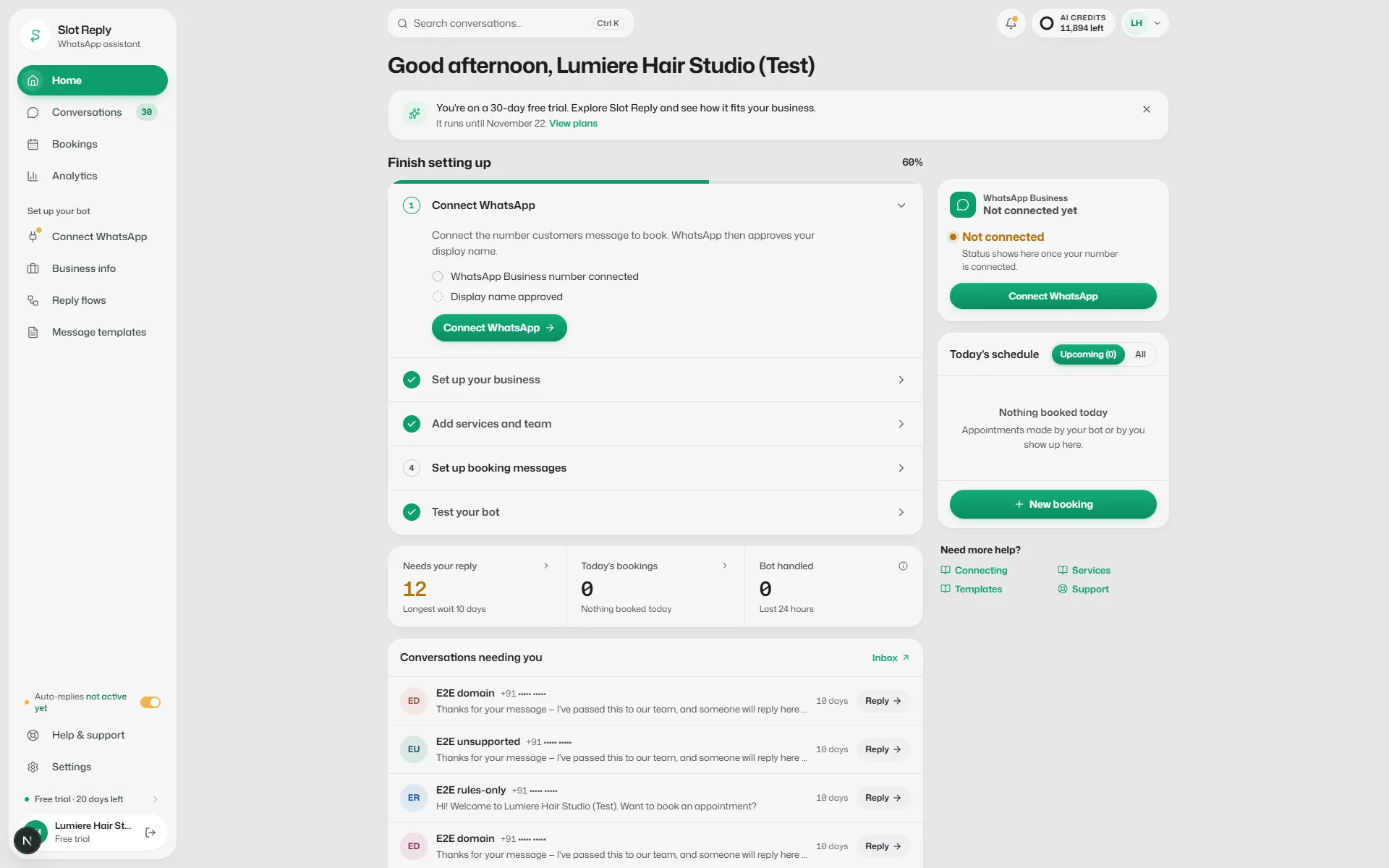
The Home screen
- Finish setting up: the steps your bot needs before it can take bookings, until they are all done (managers and owners).
- WhatsApp Business (on the right): your number, whether messages are reaching customers, your display name, message quality, daily limit and failed messages.
- Needs your reply: chats waiting for your team, and how long the longest has waited.
- Today's bookings and Bot handled, the chats the bot booked or answered without help in the last 24 hours. With your team appears when chats with your team have had no reply for over 24 hours.
- Share your booking link: a WhatsApp link with a booking request ready to send, for Instagram, Google or your website.
- The top bar shows your notifications and your AI credits. Search conversations… finds a chat (Ctrl K, or ⌘ K on a Mac).
On a phone
- The tabs at the bottom are Home, Conversations, Bookings, Business info and More.
- More holds every other screen and Log out.
Watch the tour again
- 1
Open Settings, then Account.
- 2
Under Appearance, find Product tour and select Restart tour.
Related articles
Still need help?
Search the FAQs or contact our team by email or phone.