What Slot Reply does
Summary
A short tour of what the assistant does on your WhatsApp number and what stays in your hands.
In one minute
Slot Reply answers your customers on your own WhatsApp Business number. It replies to common questions, books appointments into your diary, sends reminders and passes a chat to your team whenever a person is needed.
- Automatic replies answer from what you write in Business info: hours, services, prices, FAQs and policies.
- Bookings made on WhatsApp go straight into your Bookings diary, with the staff member and service.
- Reply flows are step-by-step conversations with buttons, such as a booking menu or a price list.
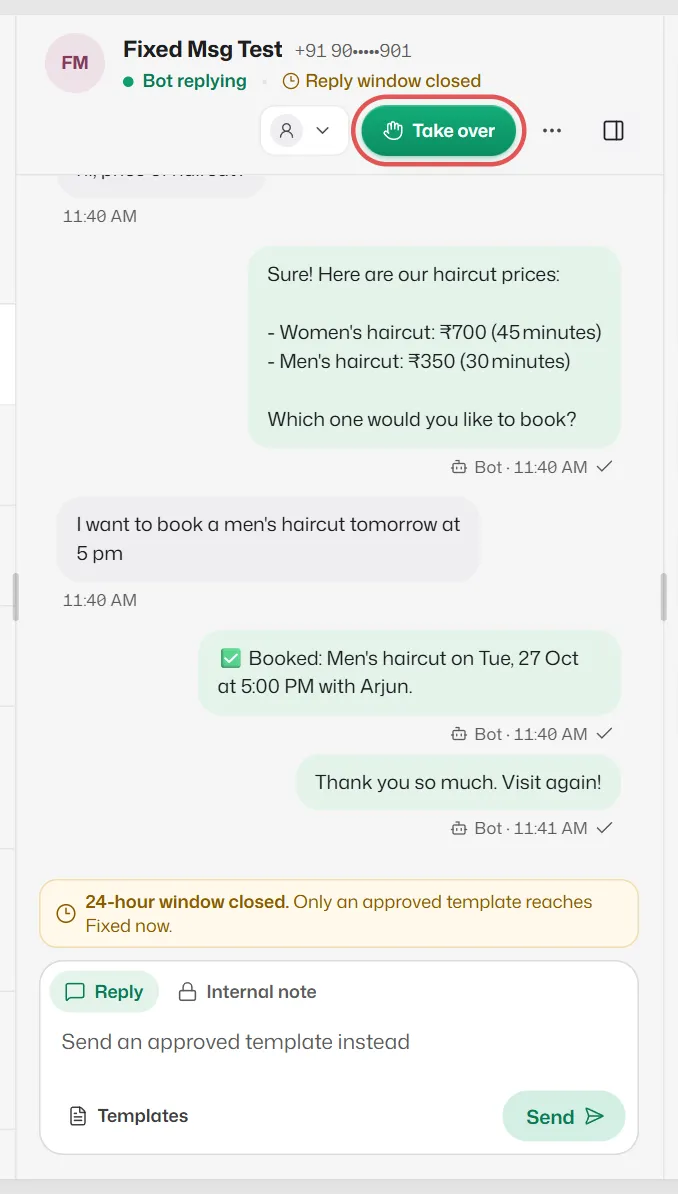
- Conversations is a shared inbox where you and your team read every chat and reply yourselves.
- Handoff: when a customer needs a person, the bot stops and your team is alerted.
What stays in your hands
- You can pause auto-replies for the whole business at any time, or take over a single chat.
- The bot only states what you have given it. When it does not know, it says so or hands the chat to your team.
- Your team members only see the screens their role allows. See Roles and permissions.
Where to start
- 1
- 2
- 3
- 4
Turn auto-replies on and send your number a test message.
Related articles
First-time setup: the Finish setting up checklist
The steps on Home that take a new account from empty to taking bookings.
Find your way around the dashboard
What each part of the sidebar and the Home screen is for, on a computer and on a phone.
How automatic replies work
What the assistant answers, in which order it tries things, and when it passes a chat to your team.
Still need help?
Search the FAQs or contact our team by email or phone.