Reschedule, cancel or mark a no-show
Summary
Move a booking to another time, cancel it, or record whether the customer came.
Before the appointment
- 1
Click the booking on the timeline or in the list.
- 2
To move it, select Reschedule, pick the new time and select Move booking. Leave Tell the customer on WhatsApp on to let them know.
- 3
To cancel, select Cancel, then Cancel booking. If the booking came from a chat, you can tick Tell the customer on WhatsApp.
On Growth and Pro the freed time can be offered to your waitlist.
After it has started
- 1
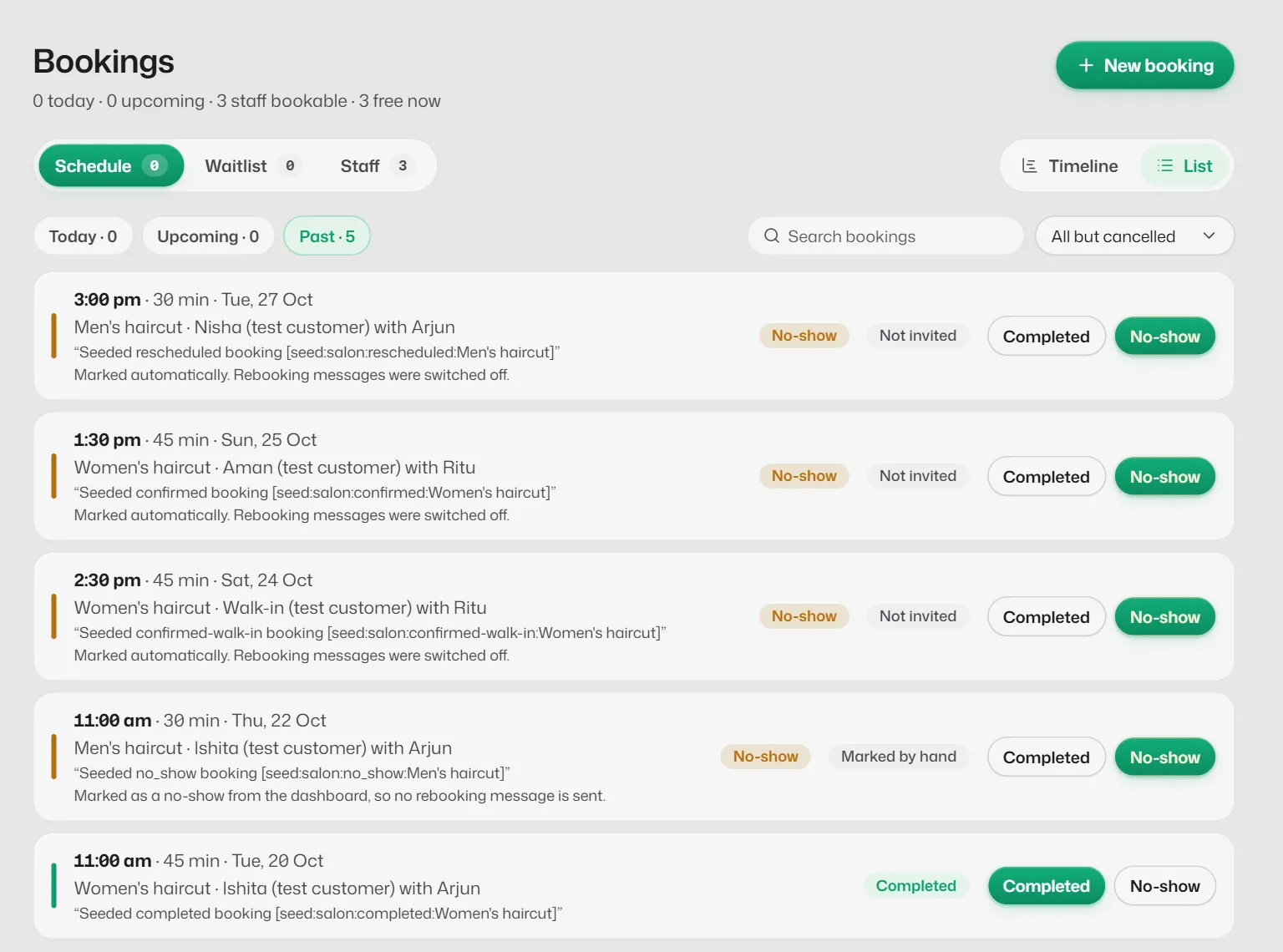
Select Completed or No-show. Pressed the wrong one? Press the other to correct it.
No-shows can also be marked automatically. See Booking rules.
If something goes wrong
- "This booking has changed since you opened it."
- Someone else changed it meanwhile. Refresh the page and try again.
- "Moved, but the customer wasn't told."
- The move is saved, but WhatsApp would not deliver the message. Tell the customer yourself.
Related articles
Use the Bookings diary
See the day's appointments on the timeline or as a list, search past bookings and filter by staff or status.
The waitlist
Keep a list of customers who want an earlier time, and offer them a slot when one frees up.
Booking rules
Time slots, notice, how far ahead people can book, who they book with, no-shows and freed-up times.
Still need help?
Search the FAQs or contact our team by email or phone.