How customers book, move and cancel on WhatsApp
Summary
What the assistant does when a customer asks for an appointment, wants to change it or cancel it.
Booking
- The customer asks in their own words, in any of the reply languages, for example "tomorrow evening haircut".
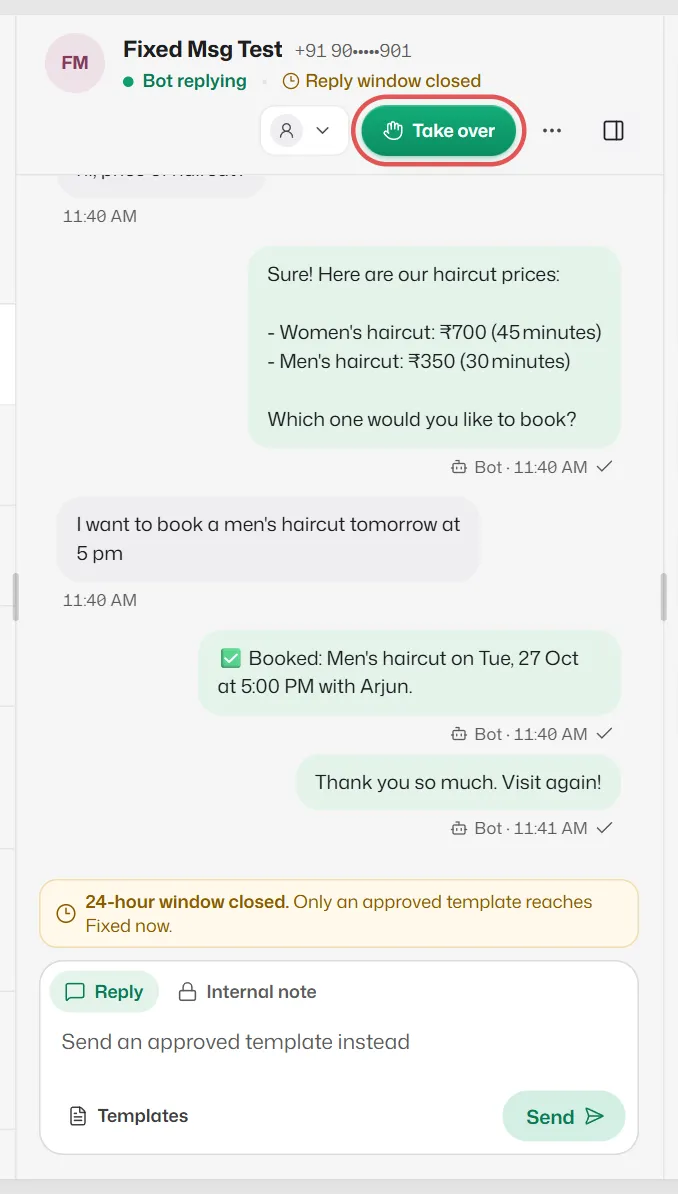
- If they did not name a service, the assistant lists your services.
- It offers up to 6 real free times. The customer replies with a number or picks a button.
- It confirms only after the booking is saved, for example "✅ Booked: Haircut on Fri, 10 Oct at 11:00 AM." The booking appears in your diary as Confirmed.
- If the assistant cannot understand two replies in a row, the chat goes to your team.
Moving and cancelling
- "Can I come tomorrow instead?" gets that day's free times. After the customer picks one, the booking is moved and the reminders follow it.
- To cancel, the assistant always asks the customer to reply YES first. Only a clear YES cancels.
- "When is my appointment?" is answered from their upcoming bookings. With more than one booking, the assistant asks which one.
What you control
In Settings → Booking rules → Customers on WhatsApp you can:
- Switch Book, Reschedule, Cancel and Check on or off separately.
- Choose Who they book with: Anyone who is free, or They choose a staff member.
- Write your own text for the booked, moved and cancelled messages.
Booking needs no reply flow. It works as soon as you have services, hours and bookable staff.
Related articles
Booking rules
Time slots, notice, how far ahead people can book, who they book with, no-shows and freed-up times.
Add and edit services
List what you offer with a price and duration, so the assistant can quote prices and book the right length of time.
Add staff and their working hours
Add the people (or tables, or crews) customers can be booked with, their services, days and time off.
Customers are not offered any times
When the assistant says nothing is free, or offers no booking times.
Still need help?
Search the FAQs or contact our team by email or phone.