Tags, internal notes and quick replies
1 min read
Summary
Label chats with tags, leave notes only your team sees, and save replies you type often.
Internal notes
- 1
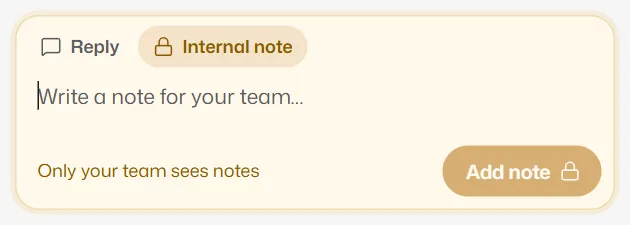
Above the reply box, switch from Reply to Internal note.
- 2
Write your note and select Add note. Only your team sees notes; the customer never does.
Quick replies
- 1
Select Quick replies (the lightning icon) beside Templates under the reply box.
- 2
Pick one. It fills the box but does not send, so you can change it first. Then send as usual.
- 3
To save a new one, select New quick reply, give it a name such as "Parking" and the message.
A business can keep up to 50 quick replies. Anyone can add one; managers and owners can edit or delete them. Quick replies are hidden when the 24-hour window is closed.
Related articles
Still need help?
Search the FAQs or contact our team by email or phone.