Assign chats to team members
1 min read
Summary
Make one person responsible for a chat, and filter to the chats assigned to you.
Assign a chat
- 1
Open the chat and select the assignee pill in its header.
- 2
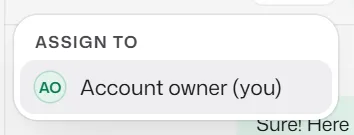
Under Assign to, pick a team member, or select Unassign.
Use Assigned to me and Unassigned in the list's title menu to see your own chats.
If something goes wrong
- "This chat is assigned to someone else."
- Receptionists cannot move another person's chat. Ask a manager or the owner.
Related articles
Still need help?
Search the FAQs or contact our team by email or phone.