Get alerted when a customer needs you
2 min readManagers and owners
Summary
When the bot hands a chat to your team, get a WhatsApp alert on your own phone, a pop-up and a sound.
When the bot hands over
- It was not sure how to answer, or a reply flow asked for a person.
- The customer asked for a refund or made a complaint, or mentioned an emergency or a health question.
- A follow-up reminder you set on the chat is due.
The customer is told your team will reply shortly. The chat shows under Needs you with the reason.
Set up alerts
- 1
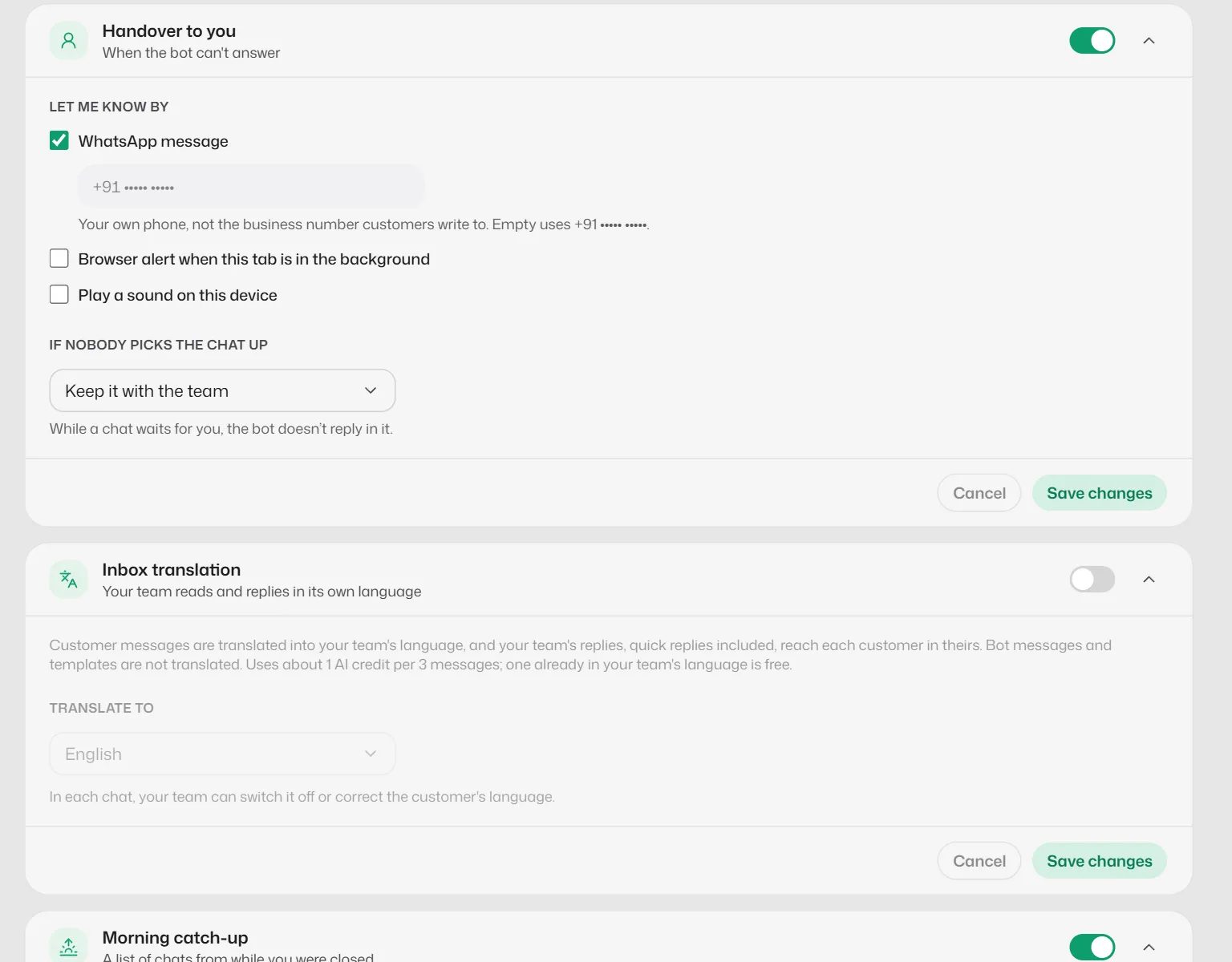
Open Business info → Personality & handoff → Handover to you.
- 2
Make sure Hand over to you is on.
- 3
Under Let me know by, tick WhatsApp message and type an Alert number: your own phone, not the business number customers write to.
- 4
Tick Browser alert when this tab is in the background and Play a sound on this device if you want them.
The sound setting is kept per browser, so set it on each computer your team uses.
- 5
Select Save changes.
What you should see
- While the dashboard is open, a pop-up shows "… needs you" with Open chat.
- Your alert phone gets "🔔 … needs you on WhatsApp" with the reason and a link.
- The chat shows a line saying whether the WhatsApp alert was delivered.
If something goes wrong
- The chat says WhatsApp alert not delivered.
- Without an approved Team alert template, the alert only reaches a phone that wrote to your business number in the last 24 hours. Submit the Team alert template under Message templates, or message your business number from the alert phone once a day.
- No sound plays.
- Check Play a sound on this device is ticked on this computer, and that the browser tab is not muted.
Related articles
Still need help?
Search the FAQs or contact our team by email or phone.