The Buttons step
2 min readManagers and owners
Summary
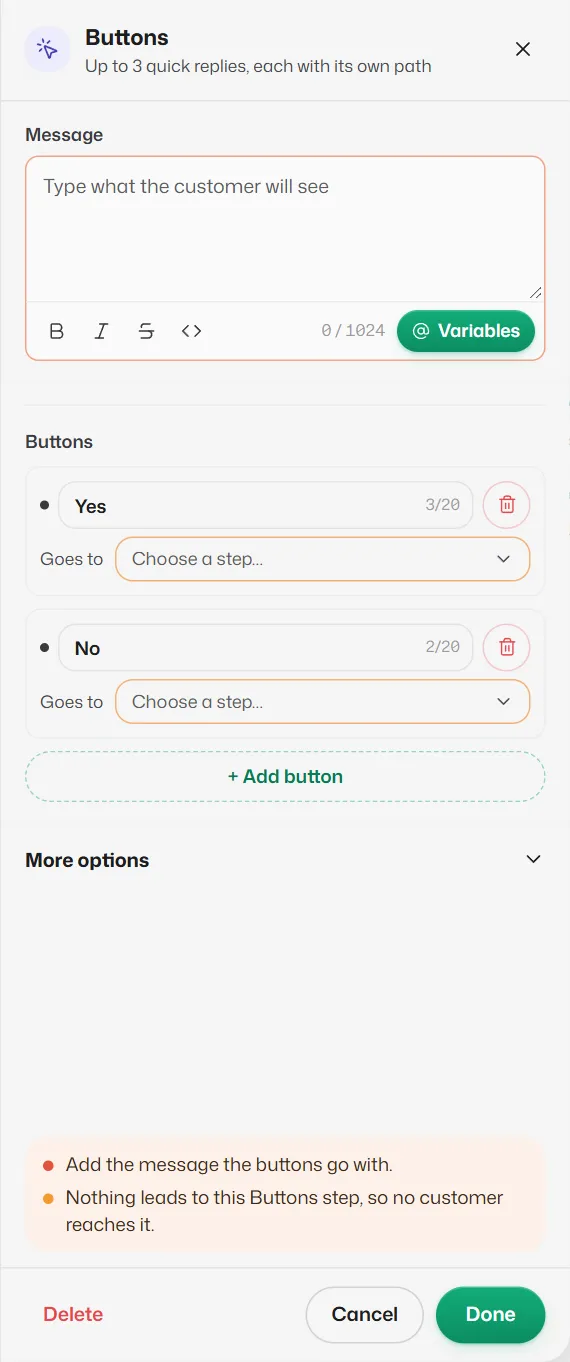
Sends a message with up to 3 tap-able buttons. Each button leads to its own next step.
Settings
- Message: the text above the buttons (required), up to 1,024 characters.
- Buttons: each button's text, up to 20 characters, and its Goes to. Every button must lead somewhere. + Add button adds one, up to 3. A new step starts with Yes and No.
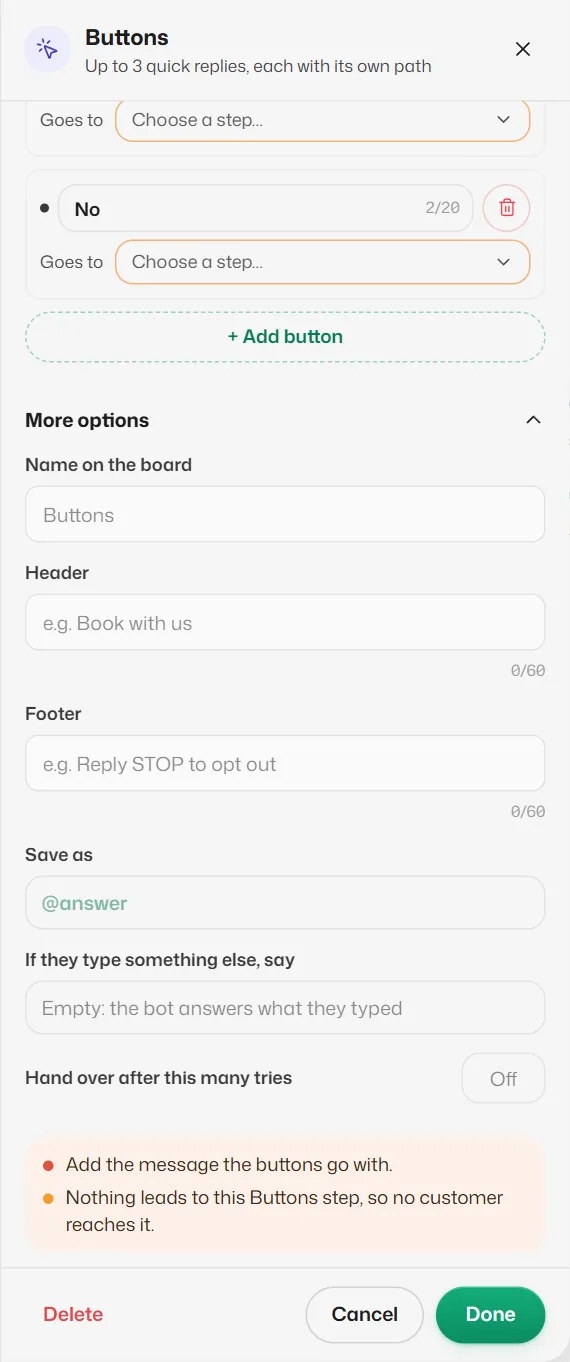
More options
- Header and Footer: a short line above and below the message, up to 60 characters each.
- Save as: keeps the tapped button's text as an @word you can use later, for example in a Condition. Leave it empty if you do not need it.
- If they type something else, say: the line sent when a reply matches no button, for example "Please tap one of the buttons."
- Hand over after this many tries: after this many replies that match no button (1 to 10), the chat goes to your team with "Sorry, I couldn't follow that. Someone from our team will reply here shortly."
How customers' replies are read
- Typing a button's text, or its number (1, 2 or 3), counts as tapping it.
- A number with no button gets "There is no option N. Please pick one of these".
- If both retry fields are empty, a reply that matches no button is answered as if no flow were running: the booking assistant, your other flows or the AI answer it, and the flow stops waiting.
If something goes wrong
- "“X” doesn’t lead anywhere, so customers who tap it get no reply."
- Choose a step for that button's Goes to, or End the flow here.
- "Two buttons have the same text."
- Make each button's text different.
- "Button text can be up to 20 characters."
- WhatsApp cuts longer buttons; shorten it.
Related articles
The List step
Sends a menu of up to 10 choices that opens from a button. Use it when 3 buttons are not enough.
Saved answers and @variables
Put the customer's name, their booking or an earlier answer into a message by typing an @word.
What happens while a customer is in a flow
When the bot waits for a reply, how long it waits, and what happens if the customer asks for something else.
Still need help?
Search the FAQs or contact our team by email or phone.