The List step
2 min readManagers and owners
Summary
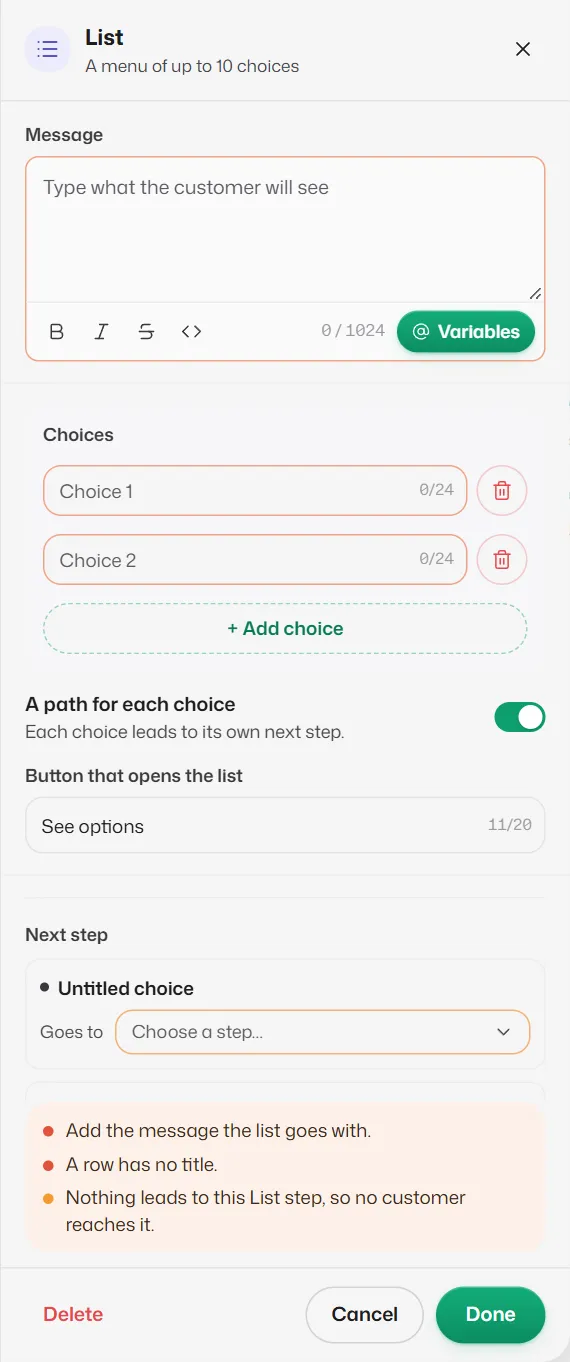
Sends a menu of up to 10 choices that opens from a button. Use it when 3 buttons are not enough.
Settings
- Message: the text the list goes with (required).
- Choices: one line per choice, up to 24 characters each, at least 1 and up to 10. + Add choice adds one.
- A path for each choice: on, each choice leads to its own next step. Off, every choice goes to the same next step (Picked a row), and the choice is saved as the answer if Save as is filled in.
- Button that opens the list: the button customers tap to see the choices, up to 20 characters. It starts as See options.
- Next step: one Goes to per choice, or a single one when A path for each choice is off. All are required.
More options
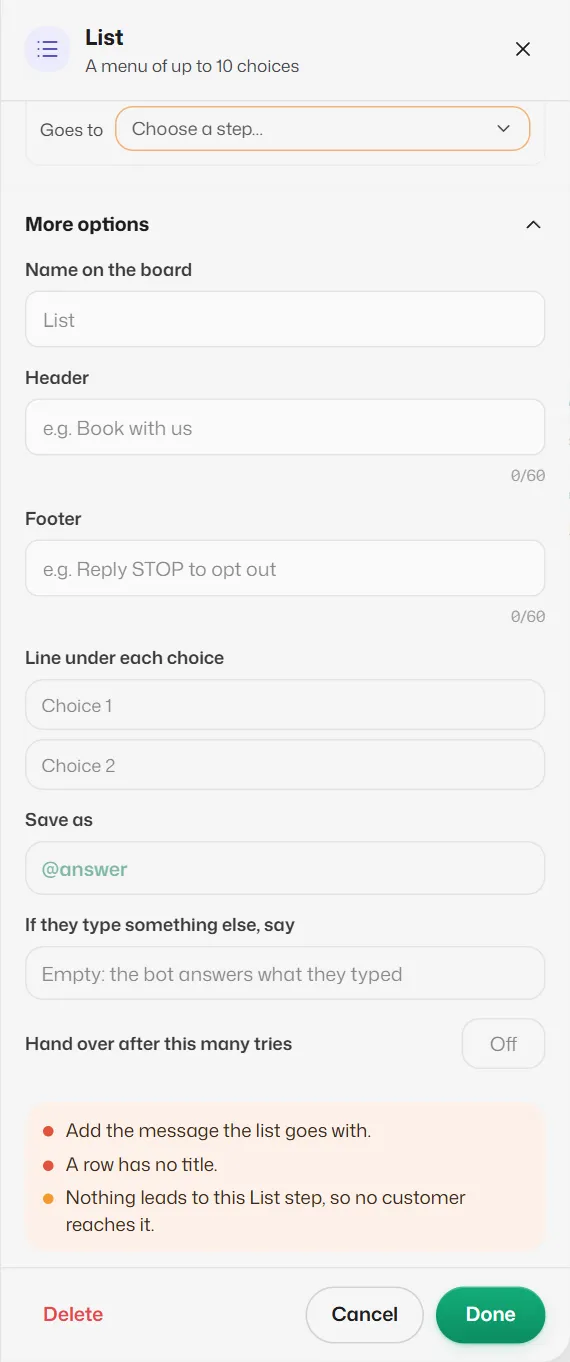
- Header and Footer (up to 60 characters each).
- Line under each choice: a short description shown under each choice, up to 72 characters.
- Save as, If they type something else, say and Hand over after this many tries work as in the Buttons step. The default retry line is "Please pick one from the list."
A typed reply that names exactly one choice counts as picking it.
If something goes wrong
- "A row has no title."
- Every choice needs text. Fill it in or delete the empty one.
- "Add the text of the button that opens the list."
- Fill in Button that opens the list.
- "A list can have up to 10 rows."
- Remove some choices, or split them across two lists.
Related articles
Still need help?
Search the FAQs or contact our team by email or phone.